Overview

Xwell is a mobile app I designed to help people discover beauty and wellness services through short, TikTok-style videos and book them instantly. The idea is to make finding treatments feel more visual, fun, and effortless compared to traditional booking apps.

Deliverables

UX Research

Wireframes

UI Design

Mobile App

Mobile App

Beauty & Welness

Beauty & Welness

SaaS

SaaS

Video-first app for finding
Beauty & Wellness services

Video-first app for finding Beauty & Wellness services

Video-first app for finding
Beauty & Wellness services

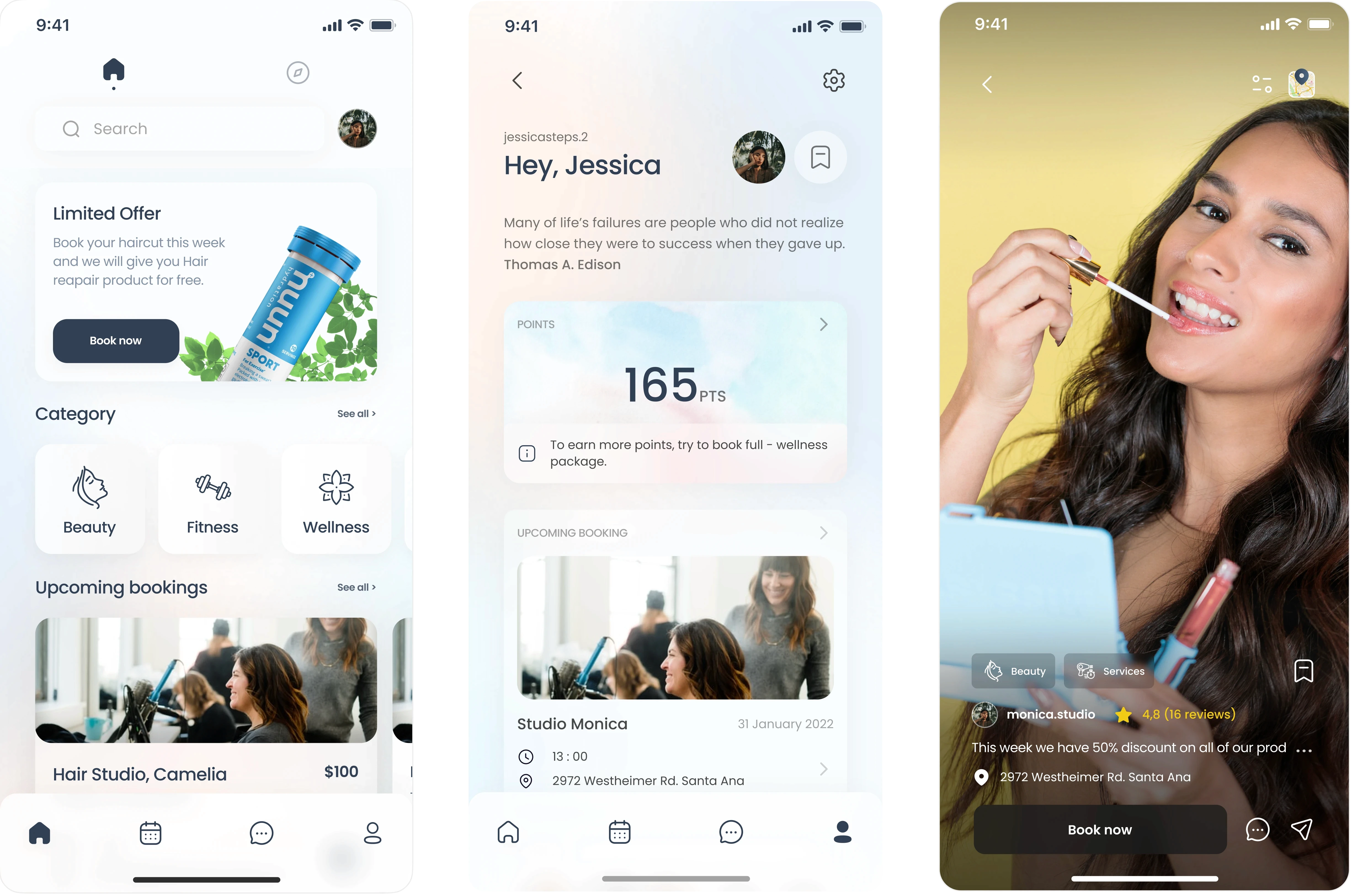
Three Xwell mobile app screens. The first screen shows the home page with a search bar, promotional offer card, category buttons for Beauty, Fitness, and Wellness, and upcoming bookings. The second screen shows the user dashboard with a greeting, profile photo, motivational quote, reward points, and an upcoming booking card. The third screen displays a TikTok-style video feed featuring a woman applying lip gloss, with studio rating, location, service categories, and a ‘Book now’ button.

Problem Statement

Most beauty booking apps feel cold, outdated, and overwhelming. Users have no real sense of what a service looks like or whether they can trust a studio. Without real visuals or personality, it’s hard to feel confident about booking anything.

Business Need

Xwell wanted a platform where studios could show their work in a real, authentic way and reach more clients. The app needed to be simple and engaging enough that users could make a decision quickly and book without overthinking.

User Need

Users want to see real results, real people, and real experiences before booking anything. They need a clean, intuitive app that helps them decide fast and schedule treatments without any confusion.

Product Vision

Create an app that feels like a mix of TikTok and a super simple booking tool. Visual, inspiring, and effortless to use. Xwell should be a place where people feel confident, informed, and excited to take care of themselves.

Wireframe and New UI

Wireframe and New UI

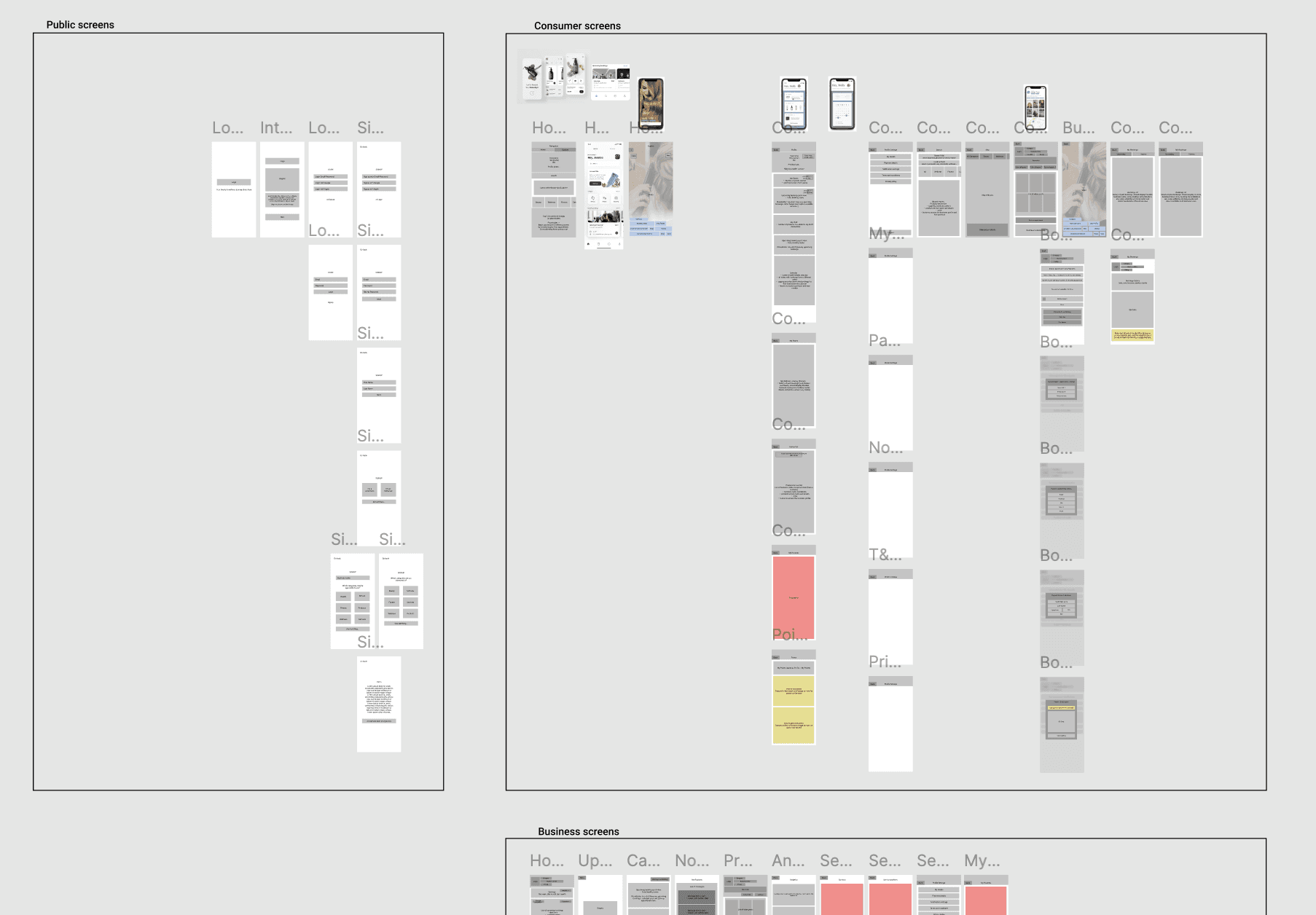
A large UX flowboard showing all Xwell app screens grouped into sections: Public Screens, Consumer Screens, and Business Screens. Each group contains low-fidelity wireframes arranged vertically to represent user journeys such as onboarding, home, search, booking, profile, notifications, payments, and business management features. The flow visually maps how users move through different paths across the Xwell platform.

UX Userflows

UX Userflows

Solution

We introduced short videos as the main way to discover treatments because it feels natural and gives users a real sense of what to expect. When they find something they like, they can book right away with just a few taps. Everything is organized to stay simple, clear studio profiles, an easy booking flow, and a friendly design that feels welcoming instead of overwhelming.

Emir brought our idea to life better than we imagined. The app feels simple, fun, and easy to use. We love the work and would gladly work with him again.

woman in red long sleeve shirt standing near white wall during daytime

Antonia P.

Founder @Circled

Emir brought our idea to life better than we imagined. The app feels simple, fun, and easy to use. We love the work and would gladly work with him again.

woman in red long sleeve shirt standing near white wall during daytime

Antonia P.

Founder @Circled

Emir brought our idea to life better than we imagined. The app feels simple, fun, and easy to use. We love the work and would gladly work with him again.

woman in red long sleeve shirt standing near white wall during daytime

Antonia P.

Founder @Circled

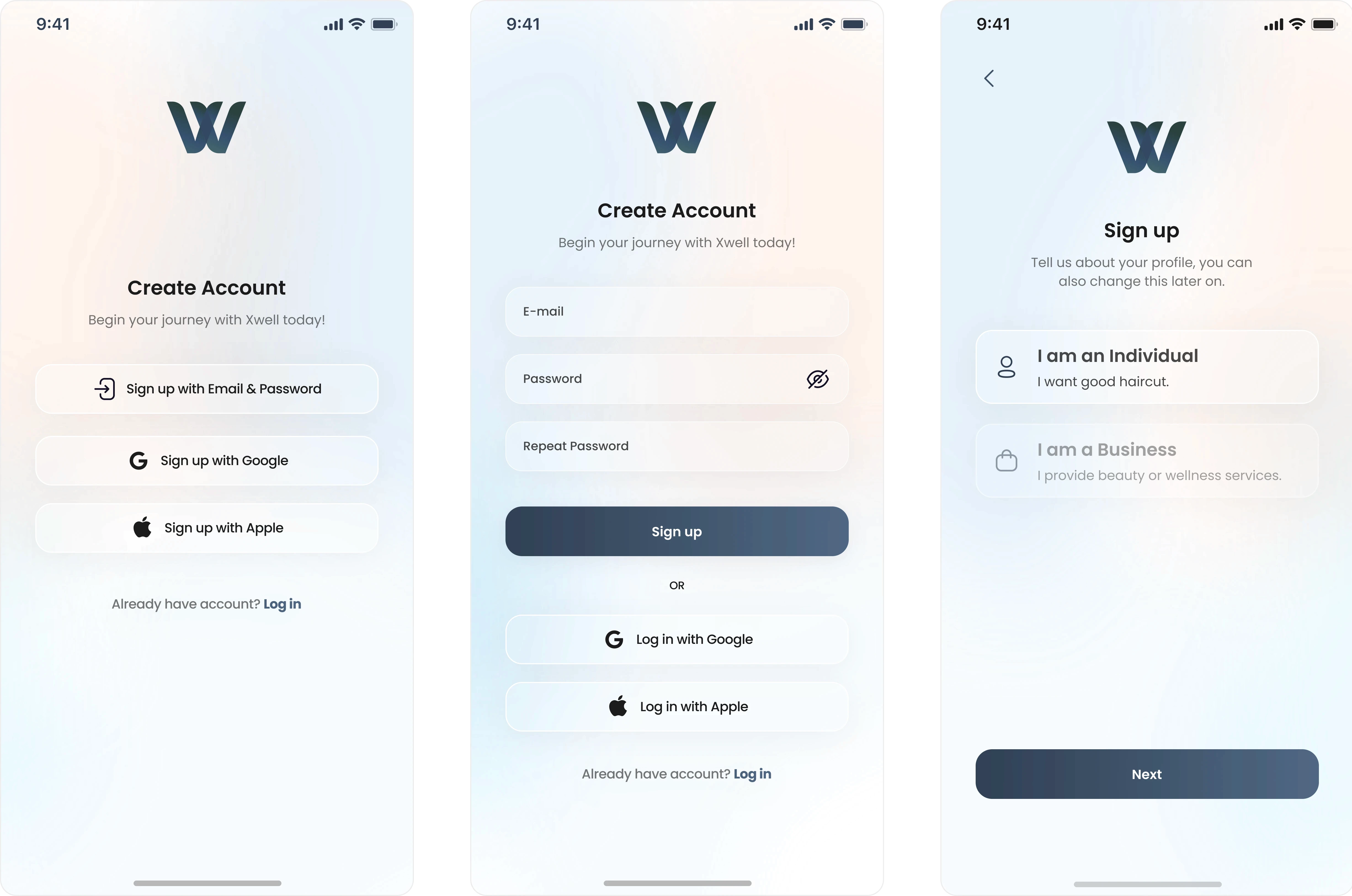
Three Xwell mobile onboarding screens. The first screen shows the ‘Create Account’ page with options to sign up using email and password, Google, or Apple. The second screen displays the email sign-up form with fields for email, password, and repeat password, along with Google and Apple login options. The third screen shows a profile selection step with two choices: ‘I am an Individual’ and ‘I am a Business,’ followed by a Next button.

Onboarding

Onboarding

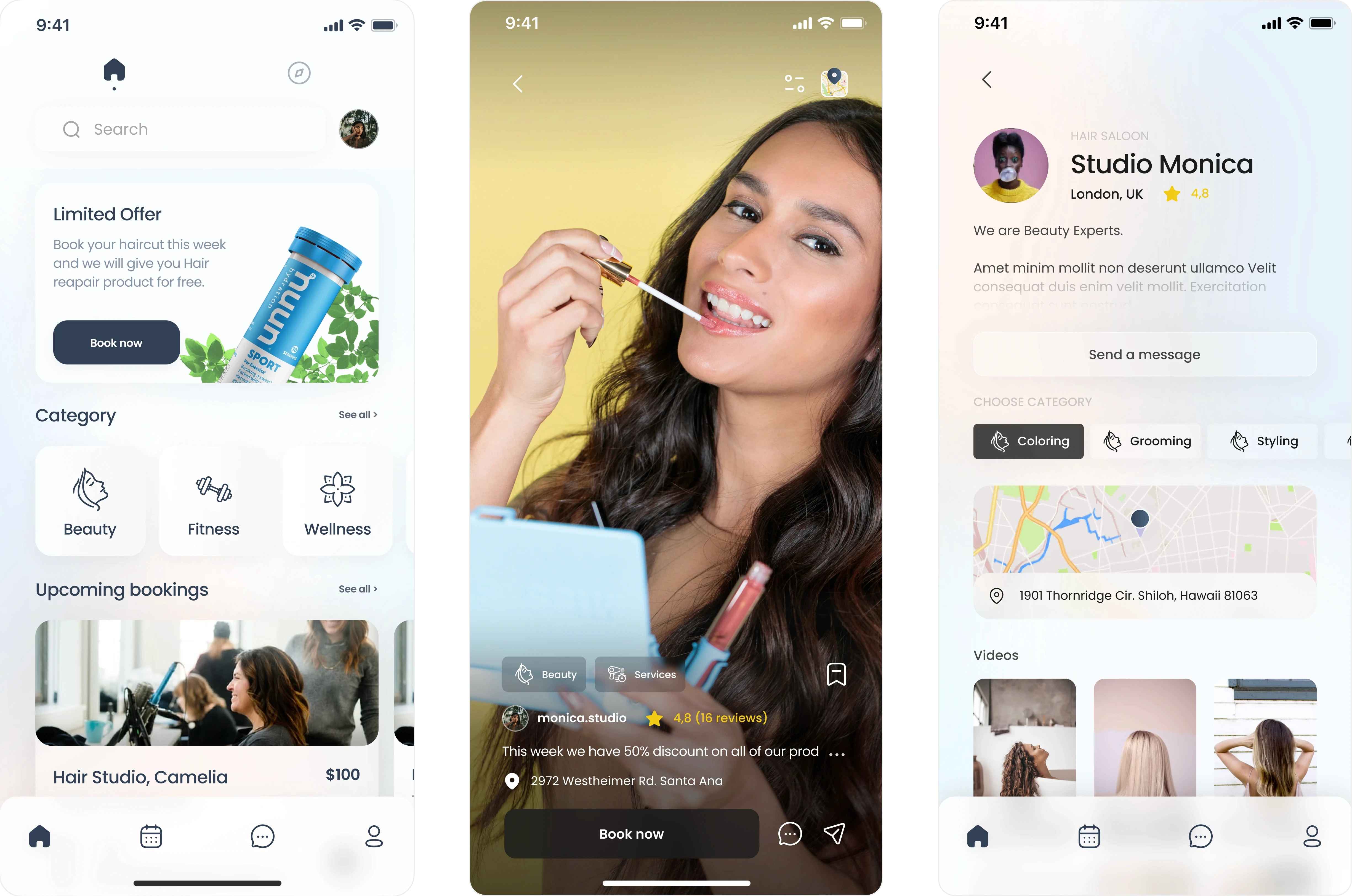
Three Xwell mobile app screens showing the home page for beauty and wellness booking, a TikTok-style video explore feed for discovering treatments, and a beauty studio profile with services, ratings, location map, and video gallery. Modern UI design for a video-first beauty and wellness booking platform.

Home, Explore and Business Profile

Home, Explore and Business Profile

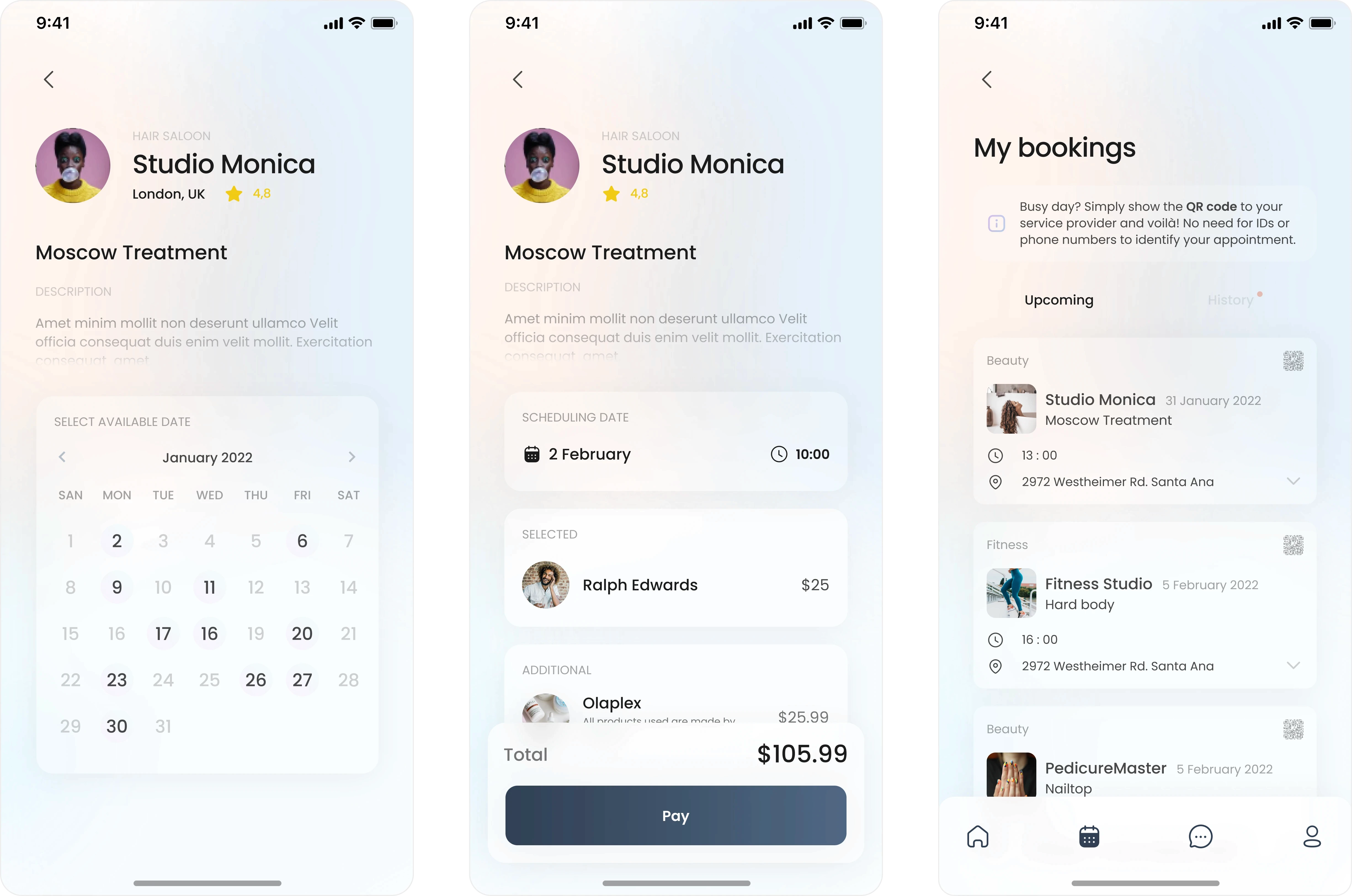
“Three Xwell mobile app booking screens showing the beauty treatment scheduling flow. The first screen displays a studio profile with a calendar to select an appointment date. The second screen shows the booking summary with selected stylist, add-on services, total price, and a Pay button. The third screen shows the ‘My Bookings’ page with upcoming beauty and wellness appointments, times, locations, and service details. Modern UI for a beauty and wellness booking app.

Booking

Booking

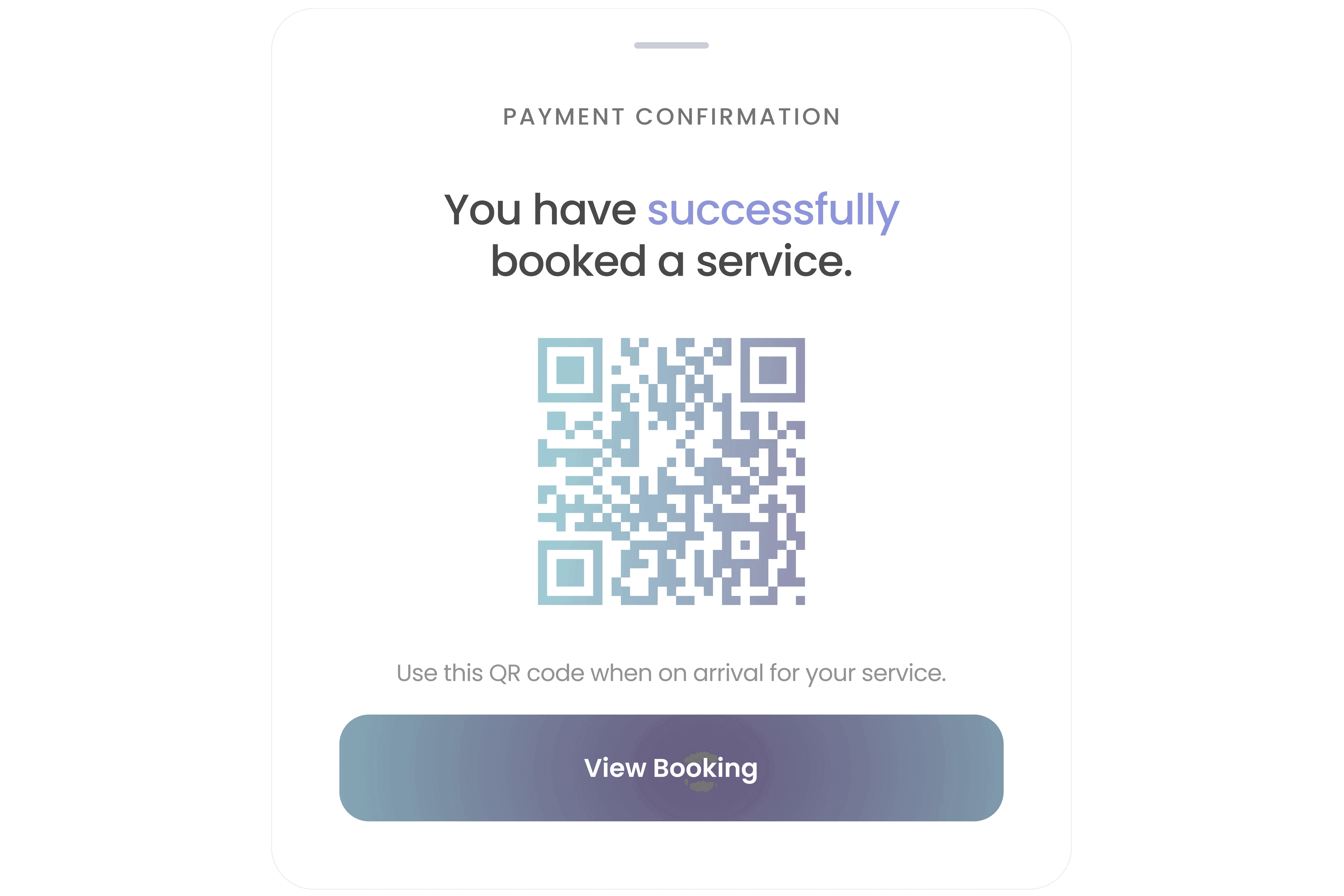
Xwell mobile app booking confirmation modal displaying a QR code for check-in. The screen reads ‘You have successfully booked a service’ with a button to view the booking. Beauty and wellness app appointment confirmation UI.
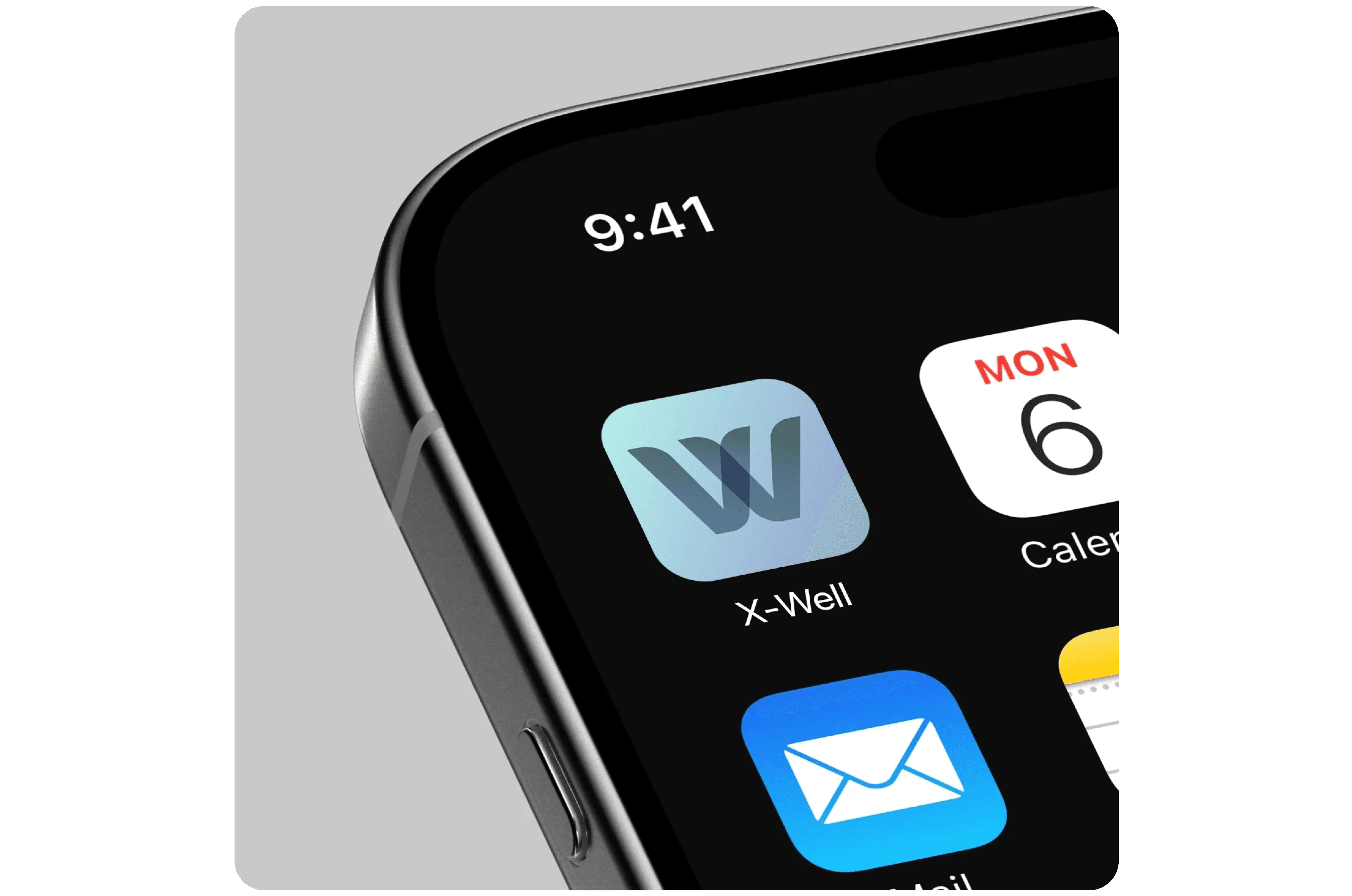
Close-up of an iPhone home screen showing the X-Well beauty and wellness app icon. The icon features a stylized ‘W’ in gradient blue tones, representing the Xwell mobile booking app.
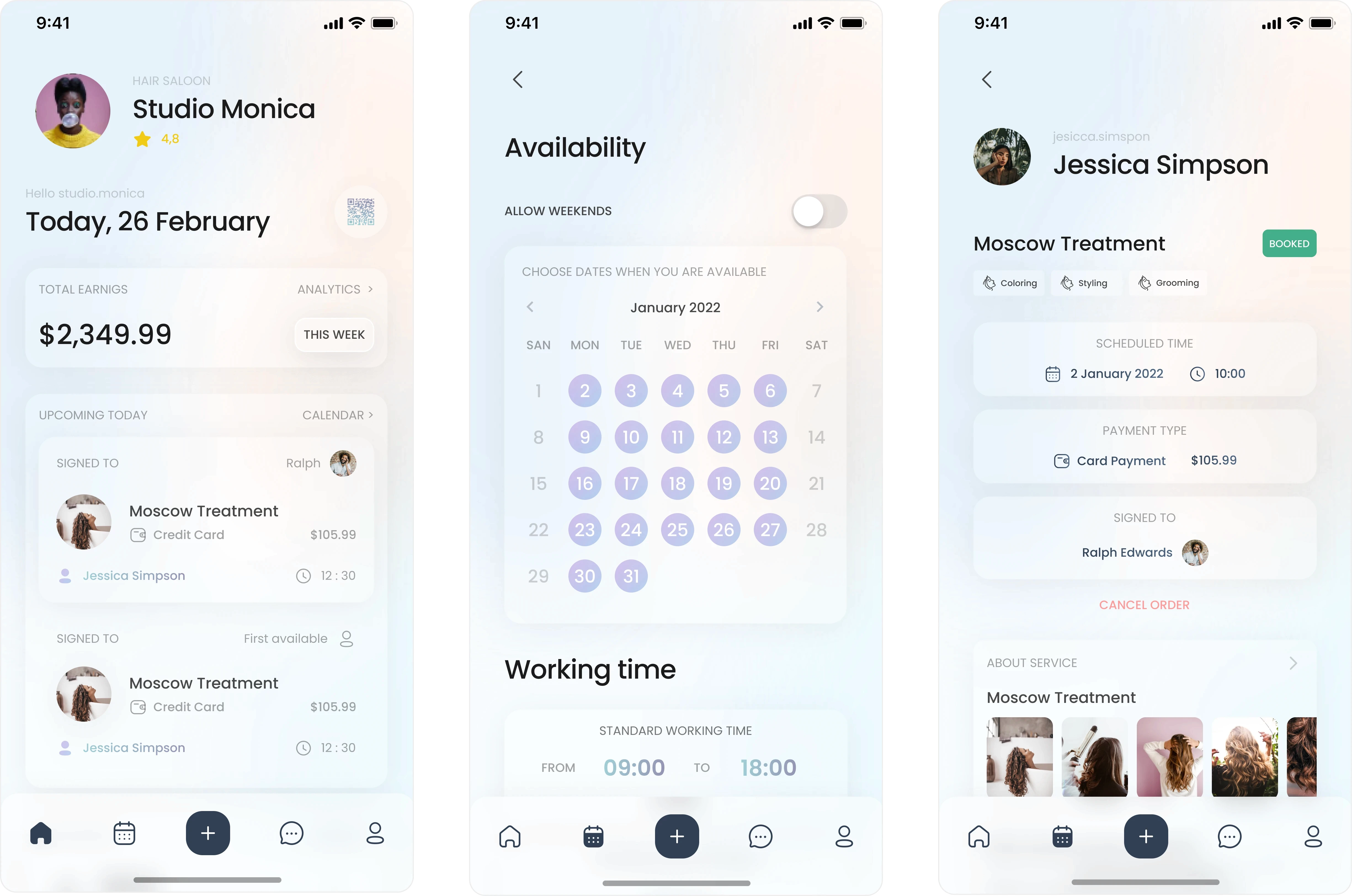
Three Xwell business-side mobile app screens for beauty and wellness providers. The first shows the studio owner dashboard with earnings, upcoming bookings, and client details. The second screen displays an availability calendar and working time settings for scheduling services. The third screen shows a client booking summary with service details, scheduled time, payment type, assigned staff member, and a cancel order option. Modern UI for beauty studio management.

Business Profile, Calendar and Booking

Business Profile, Calendar and Booking

Let’s move your
product forward.

Fast, structured and focused
design support when you need it.

emir.does.design

Building products, brands and websites for ambitious creators and founders.

Emir Hidic 2025. All rights reserved.

Let’s move your
product forward.

Fast, structured and focused
design support when you need it.

Emir Hidic 2025. All rights reserved.

Let’s move your
product forward.

Fast, structured and focused
design support when you need it.

emir.does.design

Building products, brands and websites for ambitious creators and founders.

Emir Hidic 2025. All rights reserved.

Solution

We introduced short videos as the main way to discover treatments because it feels natural and gives users a real sense of what to expect. When they find something they like, they can book right away with just a few taps. Everything is organized to stay simple, clear studio profiles, an easy booking flow, and a friendly design that feels welcoming instead of overwhelming.